Checked before
the partner sees it
Book a demo 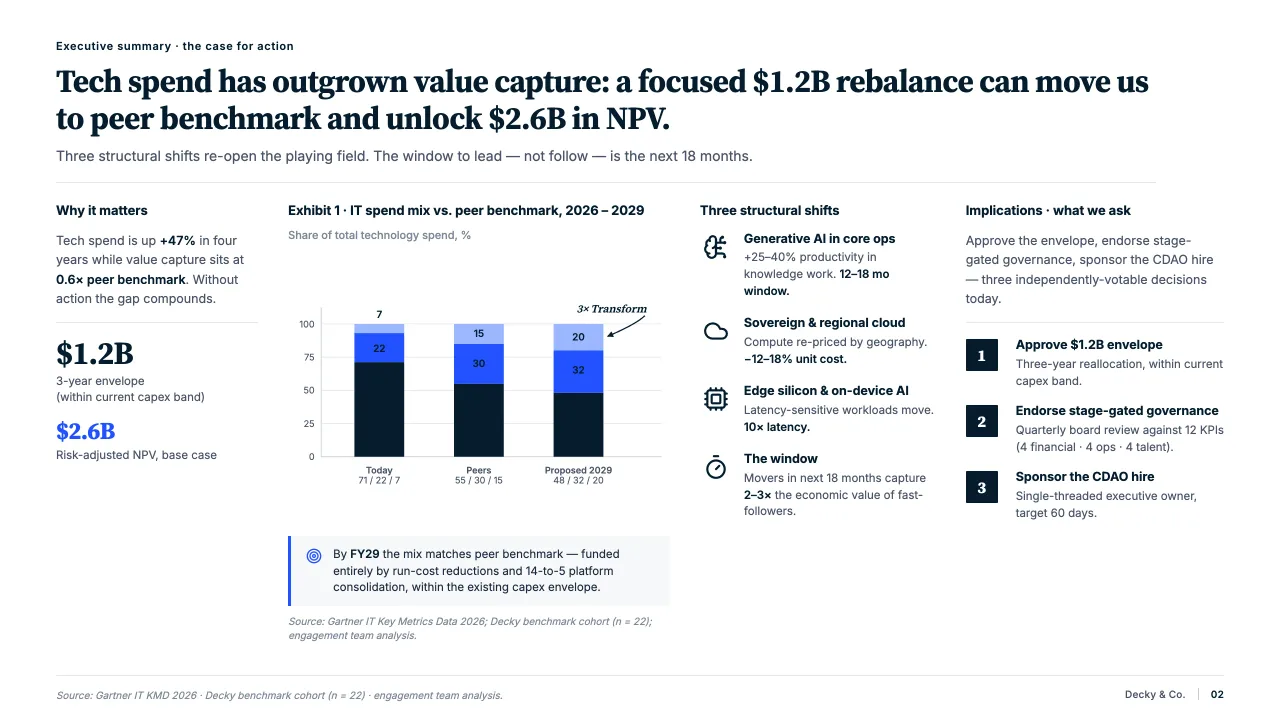
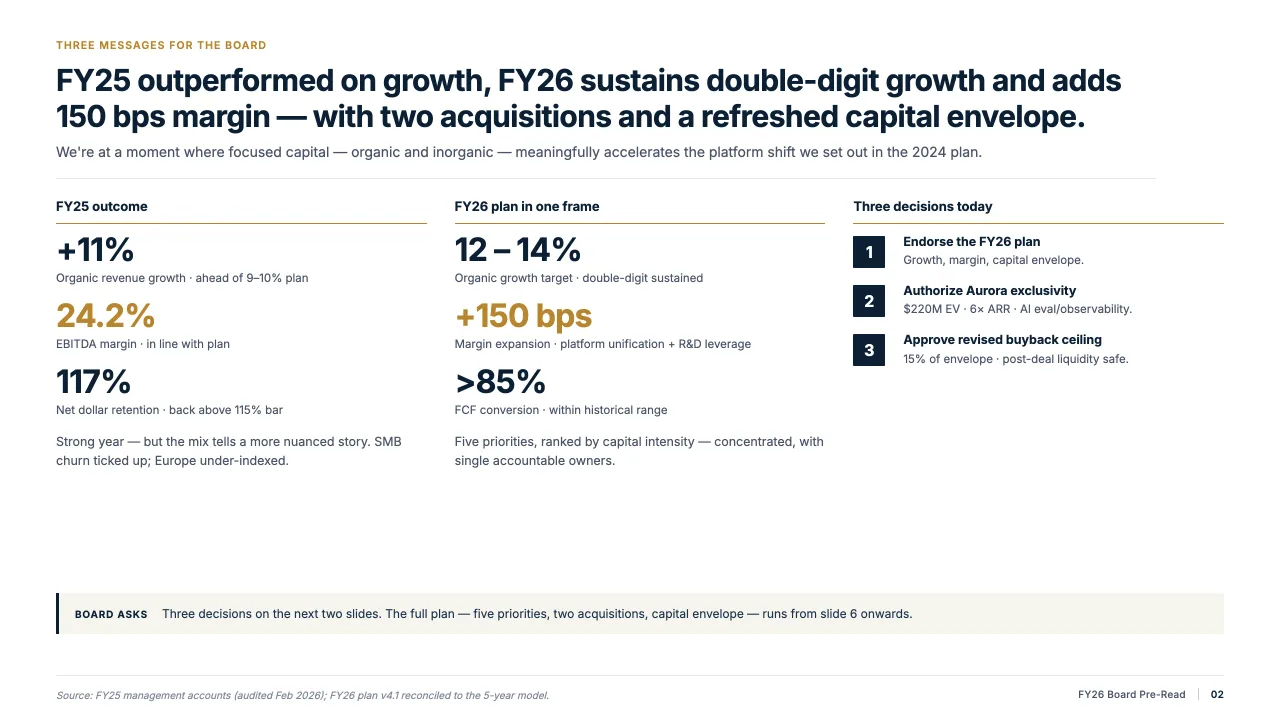
The words
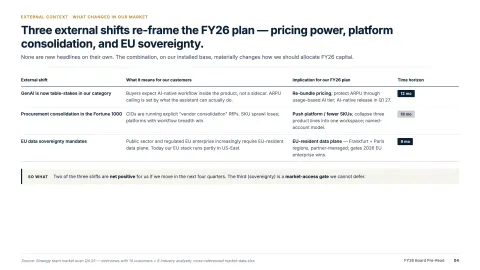
Typos, grammar, clarity and tone, across every slide of the deck.
The numbers
Number formats, units and currencies, written one way from the first slide to the last.
The citations
Footnotes and references checked for a source, so no [3] is left without one.
The last read of a deck, done properly every time
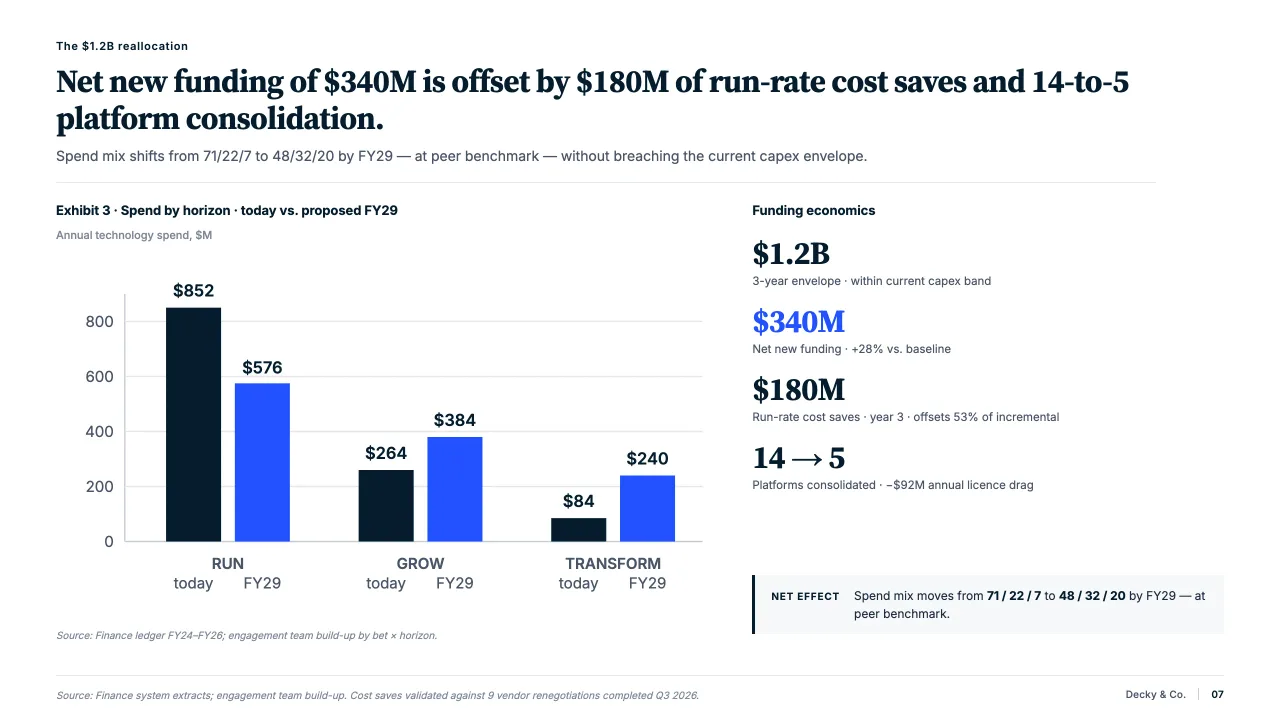
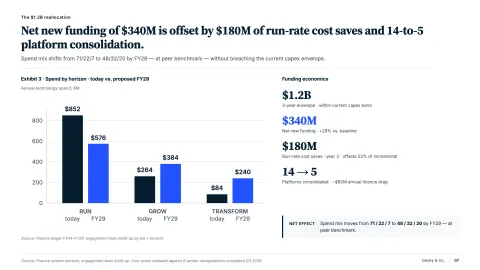
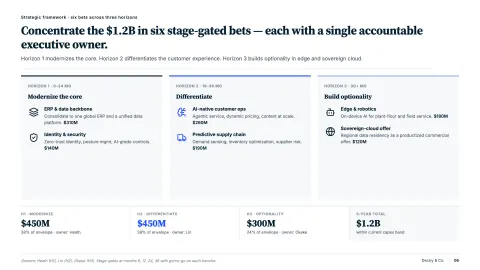
The final check usually happens late, by tired eyes, on forty slides. A stray $1.2M next to 1.200.000 € is the kind of thing a client notices first.
Decky AI reads the whole deck against your conventions and lists what it finds with the fix it suggests. You apply them one by one or all at once.
How it works
Every word, read closely
- Spelling, grammar and clarity, flagged where they sit on the slide.
- Tone, capitalisation and punctuation follow one set of rules.
- It reads the whole deck, not just the slide you are on.
Numbers written one way
- Number formats, currencies and units are compared across the whole deck.
- Each variant is brought onto the convention the deck already uses most.
- So $1.2M and 1.200.000 € never appear in the same deck.
You decide what changes
- Each suggestion shows the text before and after.
- Apply them one by one, skip the ones you disagree with, or apply all at once.
- Every change still waits in the change panel until you accept it.

“I can deliver presentation-ready decks that look like they were done by a senior.”
Junior Consultant, Technology Practice
FAQs
01What does the content check look for?
Spelling, grammar and clarity, inconsistent number formats, units and currencies, citations and footnotes without a source, capitalisation, punctuation and tone.
02Does it fix things on its own?
No. It lists what it found with the fix it suggests. Apply them one by one or all at once, and each change still waits in the change panel.
03Can it follow our style rules?
Yes. It checks against the conventions your deck should follow, such as one date format, one way of writing currencies and one citation style.
04Does it check one slide or the whole deck?
Either. Run it on the slide you are on or across the whole deck before it goes out.
05How many credits does it use?
Credits are counted per slide edited: 10 in fast mode, 20 in smart mode. Reading the deck to find issues is free.
06Is my content used to train a model?
No. Your slides and documents are never used to train a model, ours or anyone else's.
Check your next deck before the partner does.
Try it on your next deck, or book a demo and we will walk you through it.