Every slide on your grid,
in your house style
Book a demo 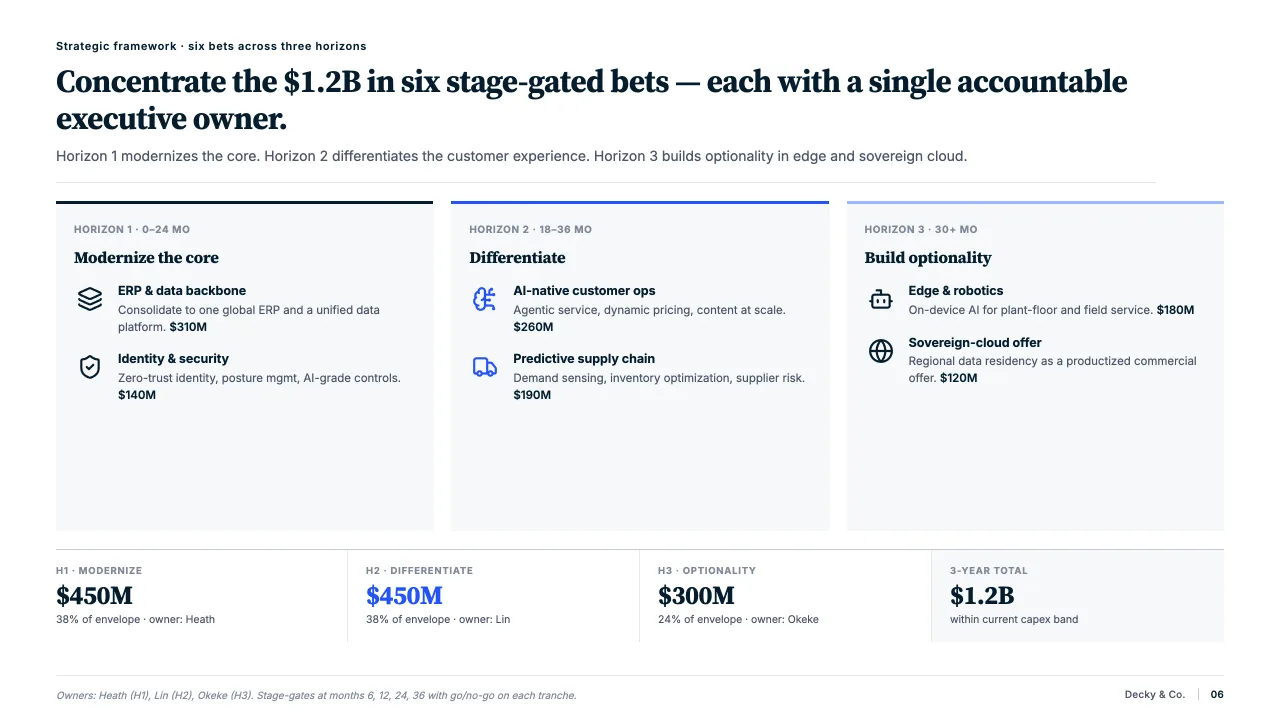
Aligned to the grid
Shapes, text and charts snap to your template’s columns, with even gaps between them.
One type hierarchy
Titles, body text and footnotes follow your firm’s fonts, sizes and weights.
Theme colours only
Fills, lines and text are checked against your palette and moved onto it.
The hour before the review, given back
Slides arrive from five people and three old decks. Boxes sit a few pixels off, fonts drift, and a colour from last year’s template survives on slide nine.
Decky AI reads the rules from your master and applies them to every slide, so the deck looks as if one person made it. You review the changes, not the pixels.
How it works
Snapped to your grid
- Shapes, text and charts move onto the columns of your template.
- Gaps between boxes become equal, edges line up across the slide.
- No more nudging boxes a pixel at a time.
Your type hierarchy
- Headlines, body text and footnotes follow your firm’s fonts, sizes and weights.
- Text pasted from another deck takes on the rules of this one.
- The rules come from your master, not from a setting you maintain.
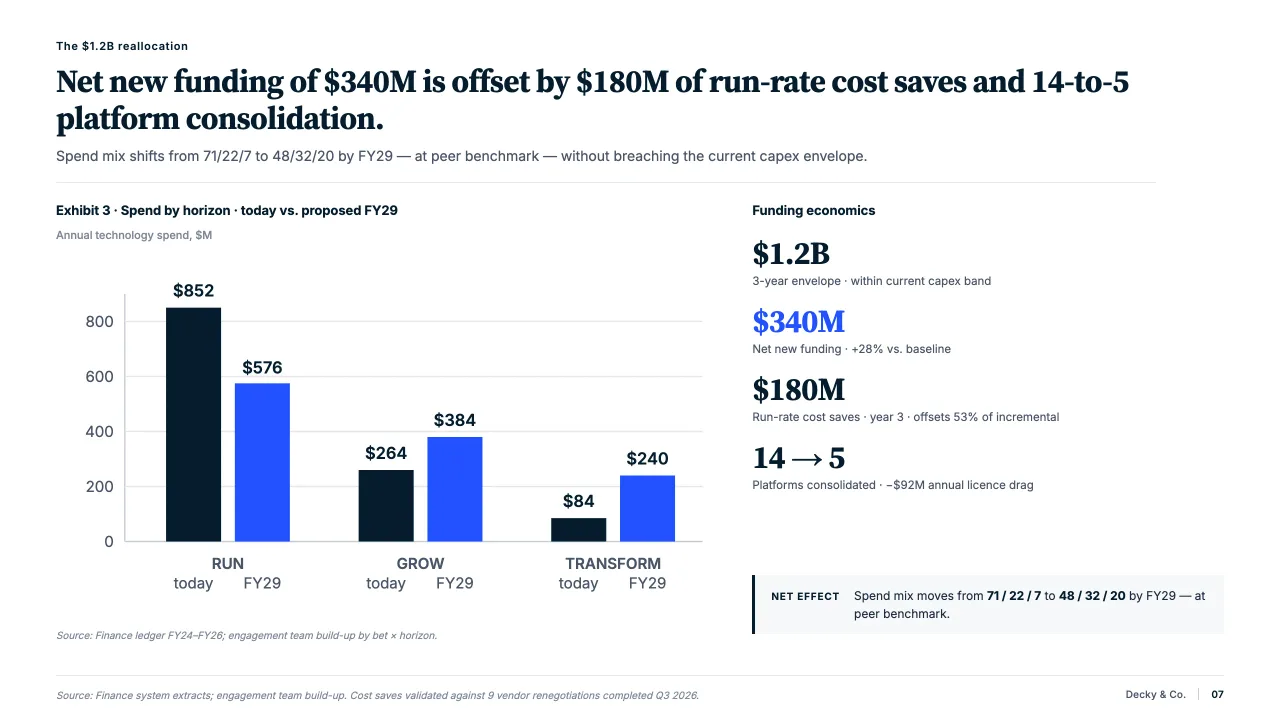
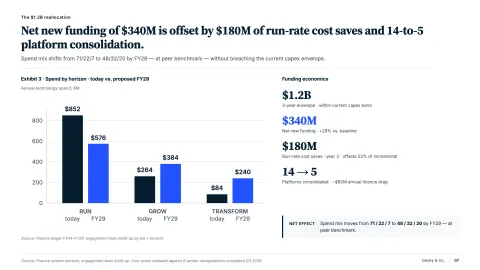
Your colours and spacing
- Every fill, line and text colour is checked against your theme.
- Spacing follows one rule across the deck, not one per author.
- Each change waits in the change panel until you accept it.

“I love how Decky enforces our firm's brand guidelines automatically. No more last-minute formatting fixes before client meetings.”
Engagement Manager, Big 4 Firm
FAQs
01What does formatting cover?
Alignment to the grid, the type hierarchy of headlines, body text and footnotes, theme colours, and the spacing between boxes. The slide you would otherwise nudge for an hour.
02Where do the rules come from?
From your template: the layouts, fonts, colours and grid of the master in the file you work in.
03Will it change what my slide says?
Formatting changes how the slide looks, not its argument. To check wording, numbers and citations, use the content check.
04Can I format one slide or the whole deck?
Either. Ask for the slide you are on, a range of slides or the whole deck.
05Can I undo a change?
Every change waits in the change panel until you accept it. Reject it and the slide stays as it was.
06Does it work on Mac?
Yes. Decky AI runs in the PowerPoint desktop app on Windows and macOS, installed as an add-in with a Microsoft 365 subscription.
Put your next deck on the grid.
Try it on your next deck, or book a demo and we will walk you through it.