The latest from Decky AI
Product ·

Introducing Decky MCP: consulting-grade slides from inside your AI assistant

Decky now works inside Claude, Cursor and other AI assistants through MCP. Ask for a slide, hand it your Excel file, have it build the whole deck or fill one from the Decky library, and get back a real PowerPoint file in your own template.

Maximilian Nitsche · 7 min read
A conversation in Claude: the reply I'll build it with Decky, a finished Create deck call to Decky AI, and the slide it produced, an action title over a market sizing exhibit for European dental practice software that narrows from 2.4 billion euros to 112 million, with an Open in PowerPoint button underneath
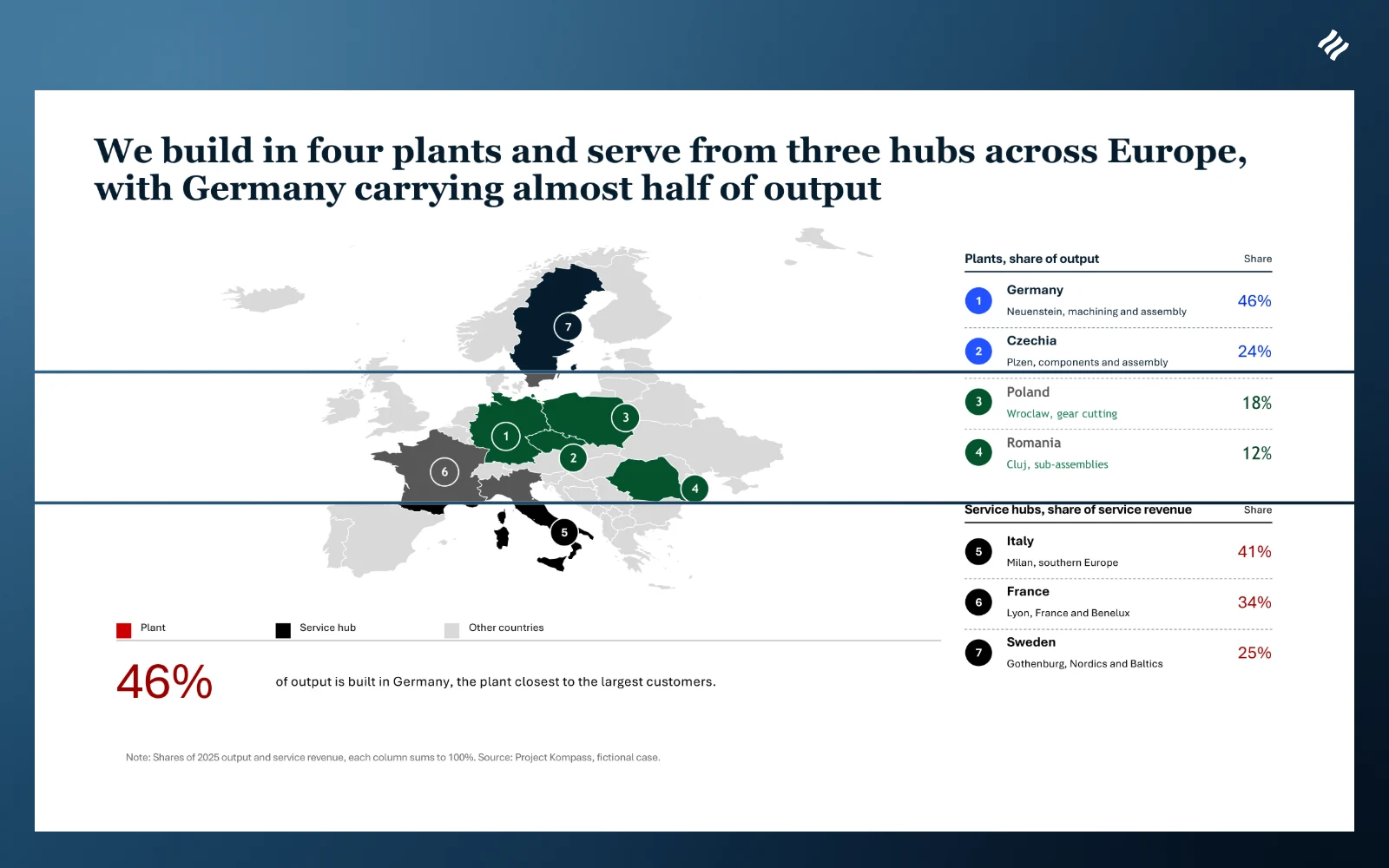
One Europe map slide cut into three horizontal bands, each from a different company master: navy at the top with a serif headline, green in the middle, red at the bottom. Four plants and three service hubs are marked on the map, with a table of shares beside it.
Guides ·

Consulting PowerPoint templates and AI: why static slides fall behind

Consulting PowerPoint templates give a strong start, then stay static. What Slideworks and others allow with AI, and how Decky AI adapts them to your master.
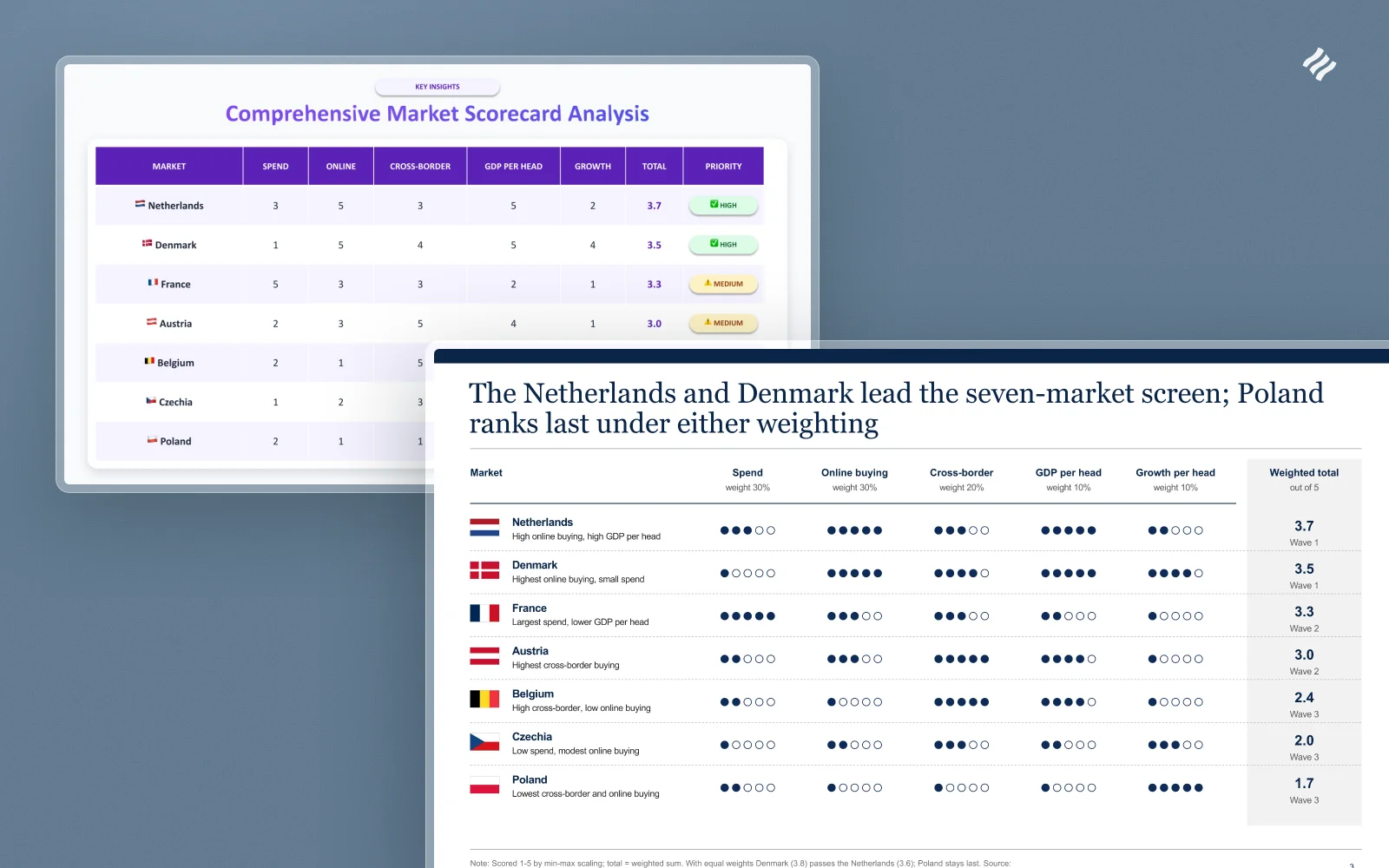
A sloppy market scorecard with a purple gradient title, emoji flags and traffic-light pills sits behind a clean scorecard of the same figures, with dot ratings and a title that states the finding, on a slate blue grainy ground
Consulting craft ·

AI slop slides: what they look like and what real consulting slides do instead

AI slop on a slide is a finished look with no finding behind it. A baseline from 1,703 public consulting slides, and the same numbers built twice.
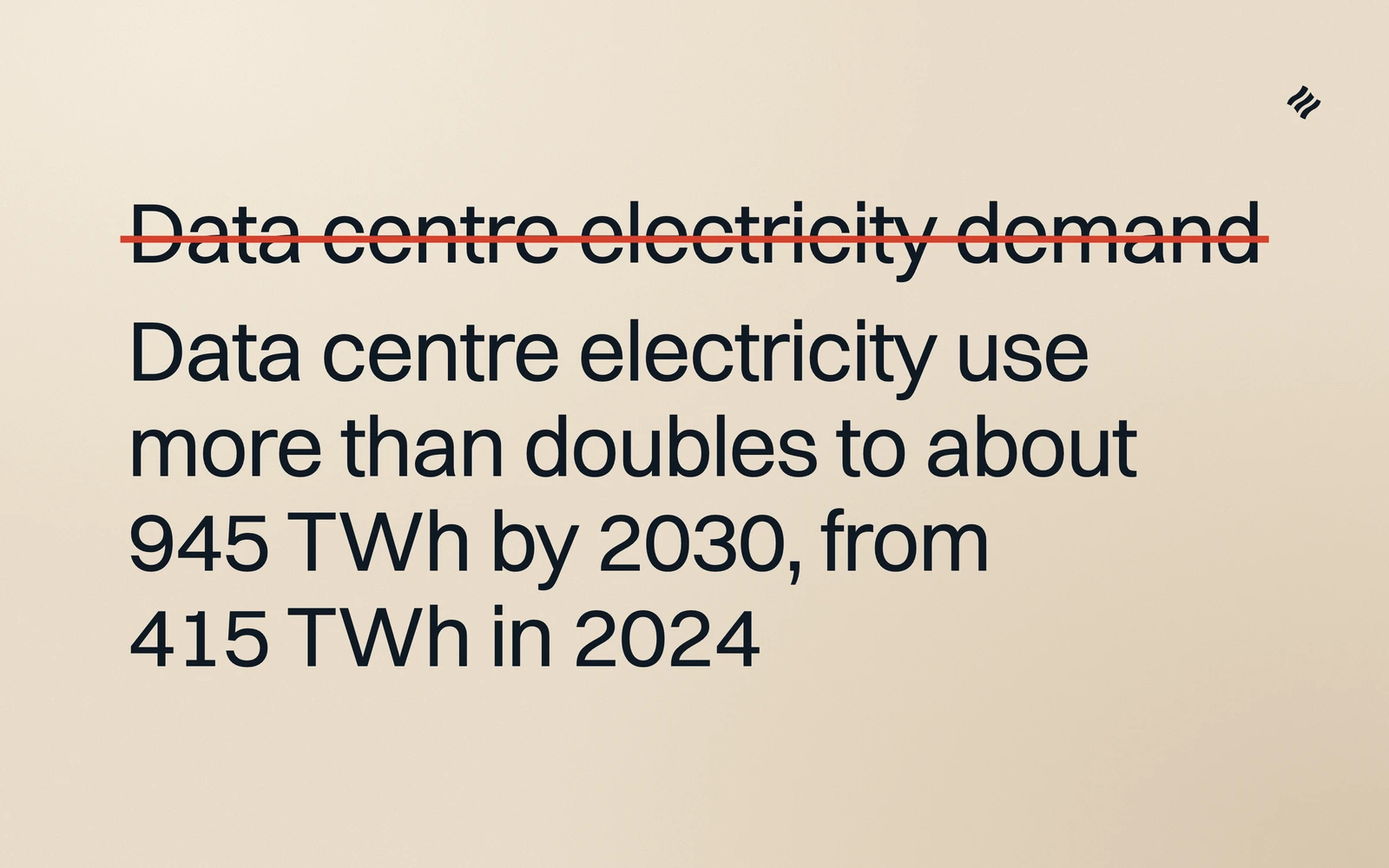
Data centre electricity label struck out in red above its full-sentence action title
Consulting craft ·

How to write action titles: what 1,155 real slide titles show

An action title states what the slide proves in one sentence, within two lines. Of 1,155 firm slide titles, 67% do it, and half of those pass 15 words.
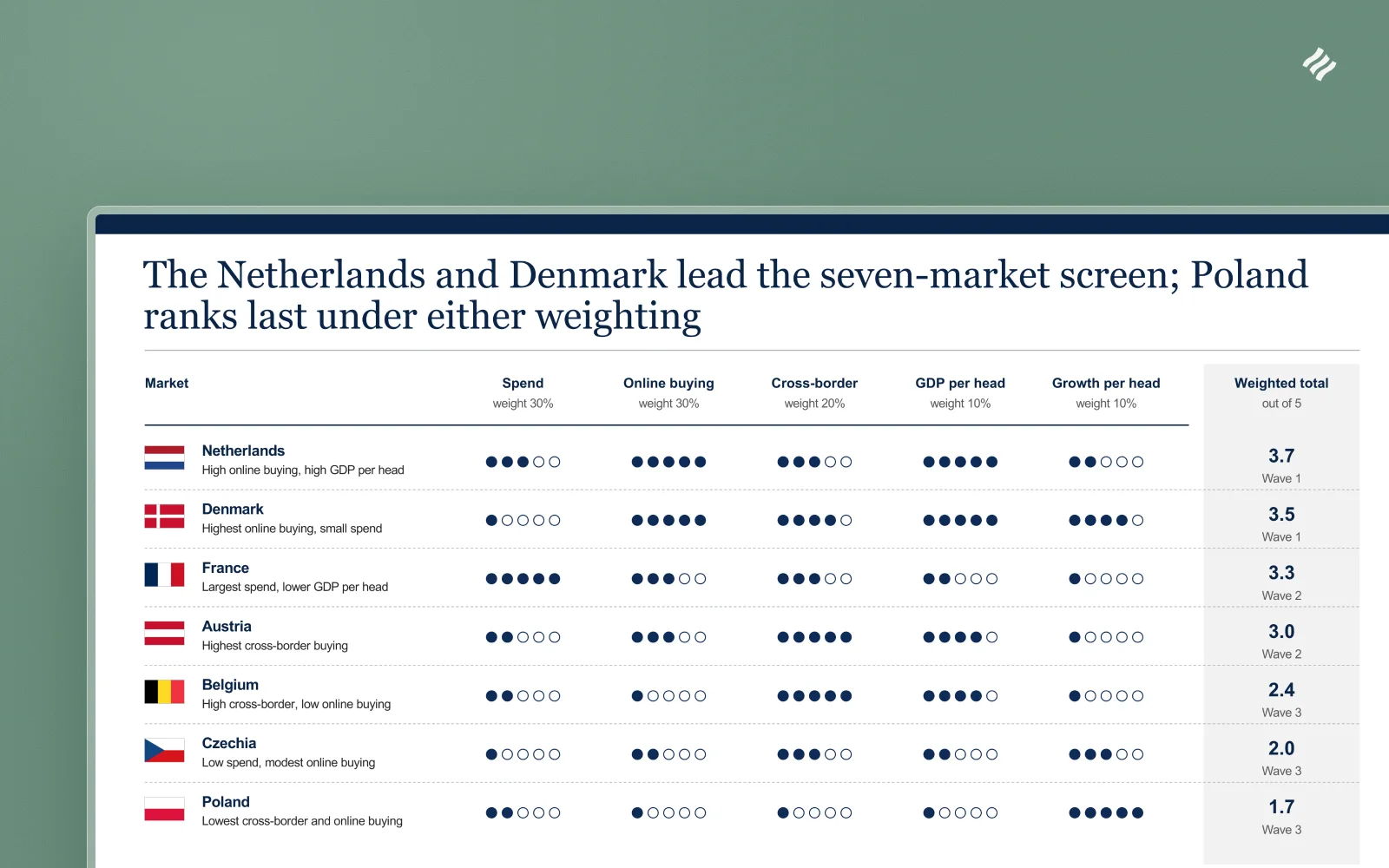
Decky AI's market scorecard for a fictional German furniture retailer on a sage green ground: seven EU markets with their flags, five weighted criteria as dot ratings, and weighted totals from the Netherlands (3.7) and Denmark (3.5) down to Poland (1.7)
Guides ·

What goes in a market entry strategy deck, with a worked example

Recommendation first, then the market screen, size of the prize, entry routes, business case, a roadmap with gates and the ask. Worked on Eurostat data.
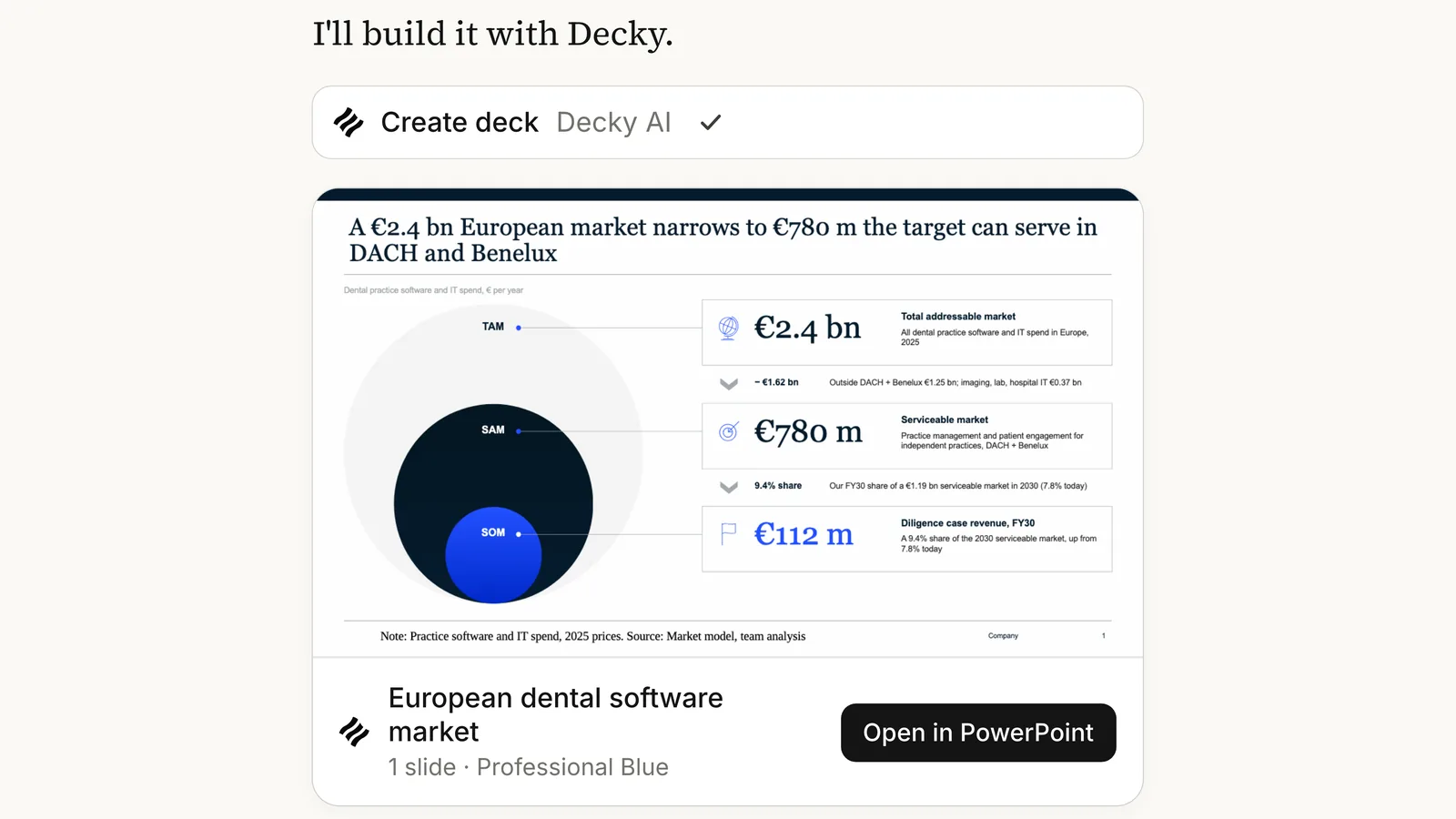
A conversation in Claude: the reply I'll build it with Decky, a finished Create deck call to Decky AI, and the slide it produced, an action title over a market sizing exhibit for European dental practice software that narrows from 2.4 billion euros to 112 million, with an Open in PowerPoint button underneath
Product ·

Introducing Decky MCP: consulting-grade slides from inside your AI assistant

Decky now works inside Claude, Cursor and other AI assistants through MCP. Ask for a slide, hand it your Excel file, have it build the whole deck or fill one from the Decky library, and get back a real PowerPoint file in your own template.
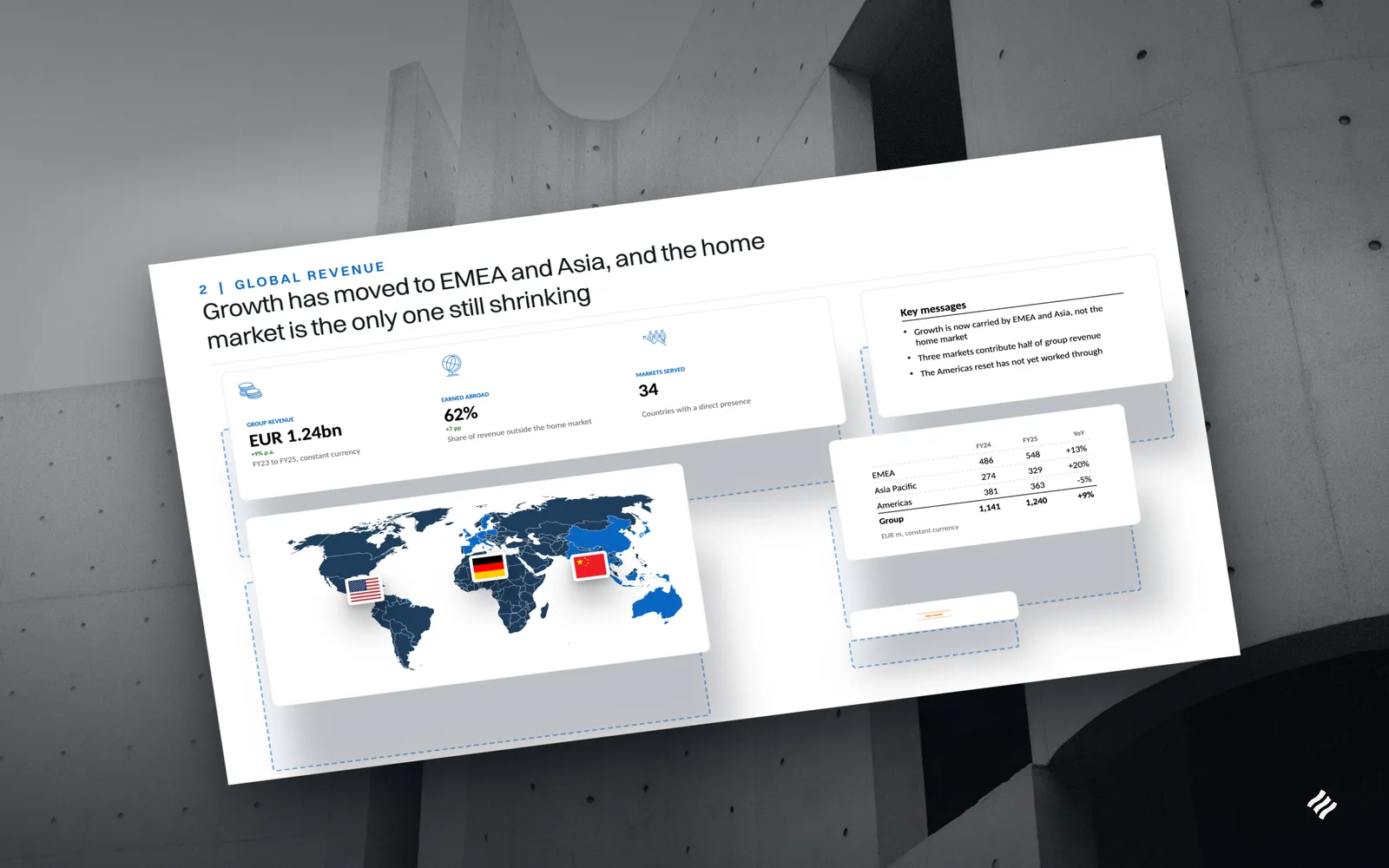
A global revenue slide drawn as an exploded assembly against a concrete building: the page lies flat with dashed outlines on it, and its parts hover above them at different heights, a band of three figures with an icon over each, a world map with the growth markets picked out and flags pinned on the United States, Germany and China, a key messages panel, a revenue table by region and a Preliminary stripe
Product ·

Components: the blocks every consulting deck is built from

A three-column comparison, a 2x2, an insight panel down the right side, a KPI row, a CAGR arrow over the bars. The same blocks appear in every deck and get rebuilt by hand every time. Decky AI now generates them straight into your slide, in your template's own type and colours, as native PowerPoint shapes you can still edit.
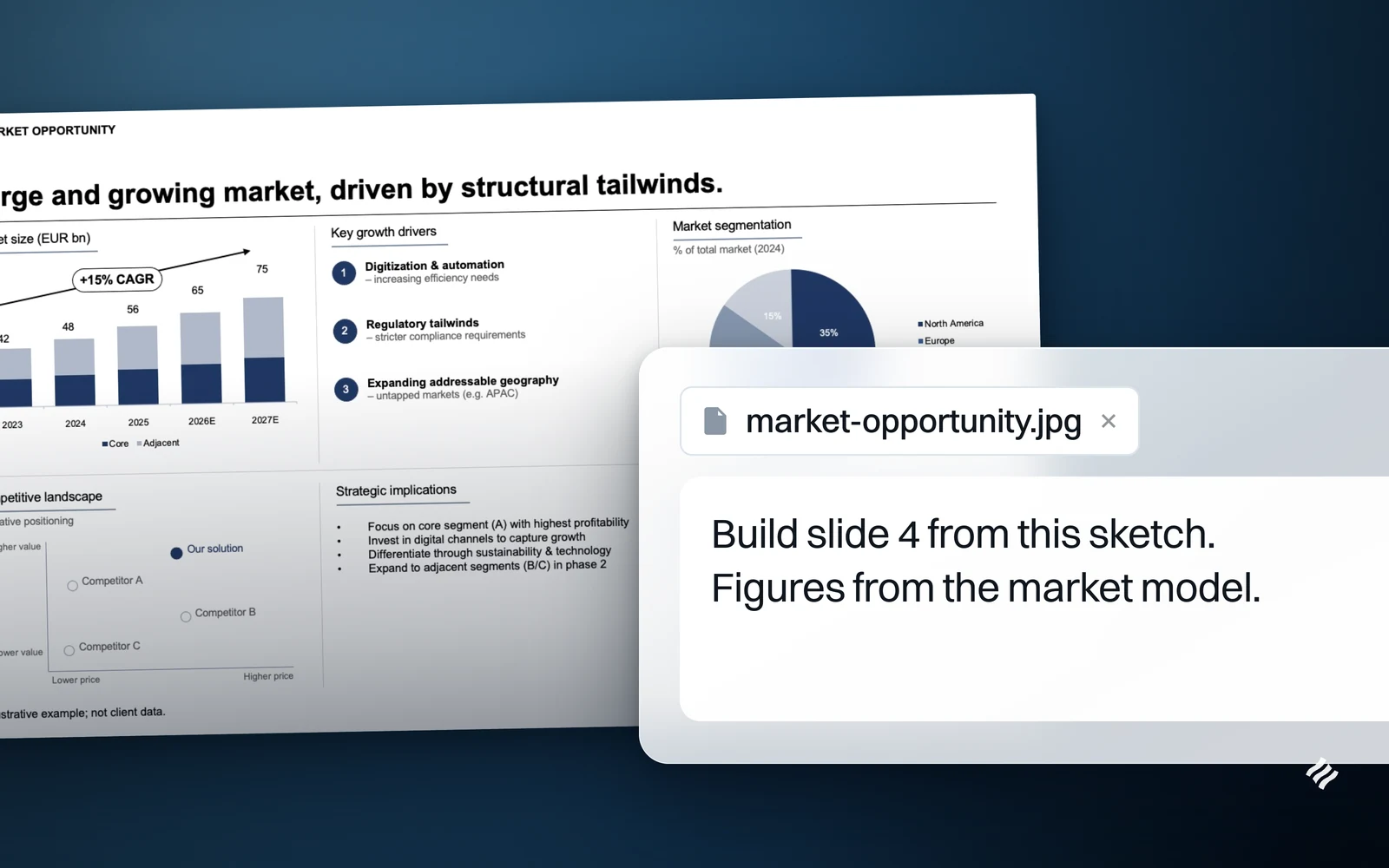
The finished six-panel market opportunity slide Decky built from a hand-drawn page, with the chat over it showing the drawing attached and the request to build slide 4 from it
Consulting craft ·

Three ways a picture becomes a slide: your sketch, the whiteboard, a layout you liked

A drawing, a photographed whiteboard, a layout you saw somewhere and want to build like. All three are the same move: attach the picture, and the arrangement is rebuilt as a slide with native charts, an action title that stays a sentence, and your own template doing the styling.

The Umbrex and Decky AI logos side by side
Product ·

Decky AI is now part of Umbrex's AI Tools for Consultants

Umbrex curates an AI tool directory for a network of independent consultants who mostly came out of McKinsey, BCG and Bain. That is a demanding audience to be listed in front of, and it is a useful way to talk about the standard a slide tool has to meet.
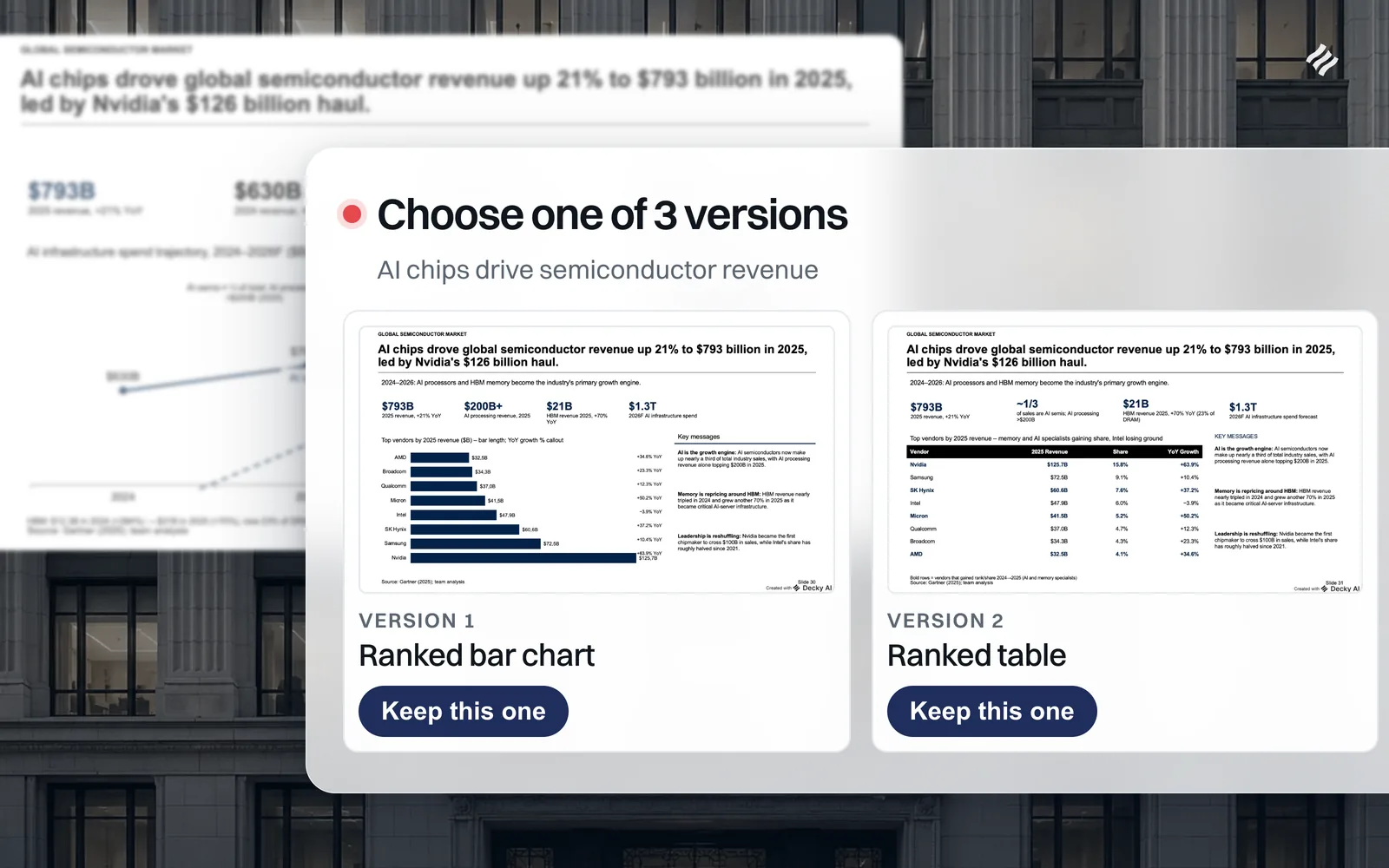
The Decky AI panel asking which of three versions of a semiconductor market slide to keep. Two are shown side by side, the same action title about AI chips driving revenue to 793 billion dollars built once as ranked bars and once as a ranked table, each with a Keep this one button. The third version, a trajectory line, sits behind in the deck.
Product ·

Three versions of the same slide, and why you only ever build one

On paper you draw a page three ways in two minutes and the right one is obvious. In PowerPoint the second version costs what the first one cost, so it never gets built. Versions makes Decky AI build two or three takes of the same slide at once, side by side, and you keep the one that works.
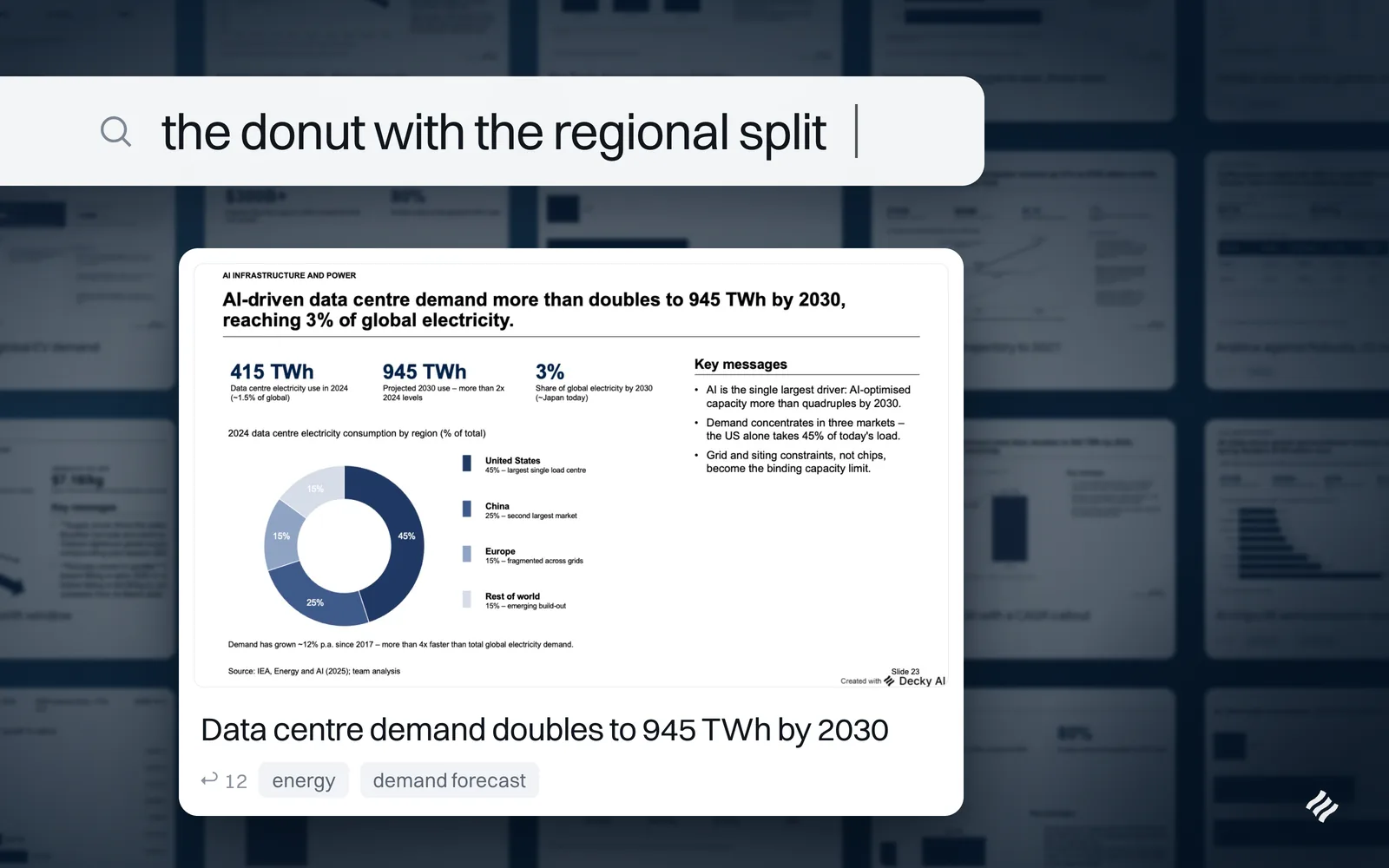
A search for 'the donut with the regional split' returning a saved data centre slide, lifted out of a wall of the rest of the library
Product ·

Introducing the Slide Library: stop rebuilding the slide someone already made

Every firm loses its best slides inside old decks, because finding one is slower than making it again. The Slide Library saves any slide with its styling intact, describes it for you, searches it by meaning rather than file name, and drops it into your current deck on the current template.

Nothing matches that.

Build your next deck on it.

Try in PowerPoint